
Why Googlebot Kept Showing My Old Website on Netlify (Even After Deploys), And How I Finally Solved It
Recently, I ran into a confusing issue while deploying my site on Netlify. Even though I pushed new code and confirmed the build succeeded, Googlebot and Google Search Console's live view kept showing an old version of my homepage while regular users saw the updated site.
This blog post documents the problem, my investigation, the solutions I tried, and how I finally fixed it.
The Problem
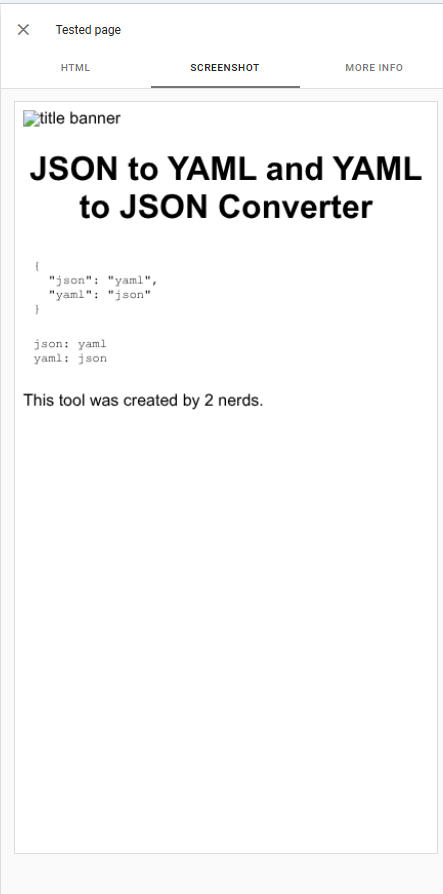
The issue was clear: Googlebot and Google Search Console were showing an old cached homepage, while regular browsers displayed the updated site. This was a serious SEO problem since search engines were seeing outdated content.
The Investigation
My first suspicion was Cloudflare caching, since Cloudflare sits in front of Netlify for jsonyaml.com. To help debug DNS and routing issues like this, you can use our Request Path Simulator tool to visualize how requests flow through your DNS and hosting setup. But when I tested with curl, I discovered something interesting:
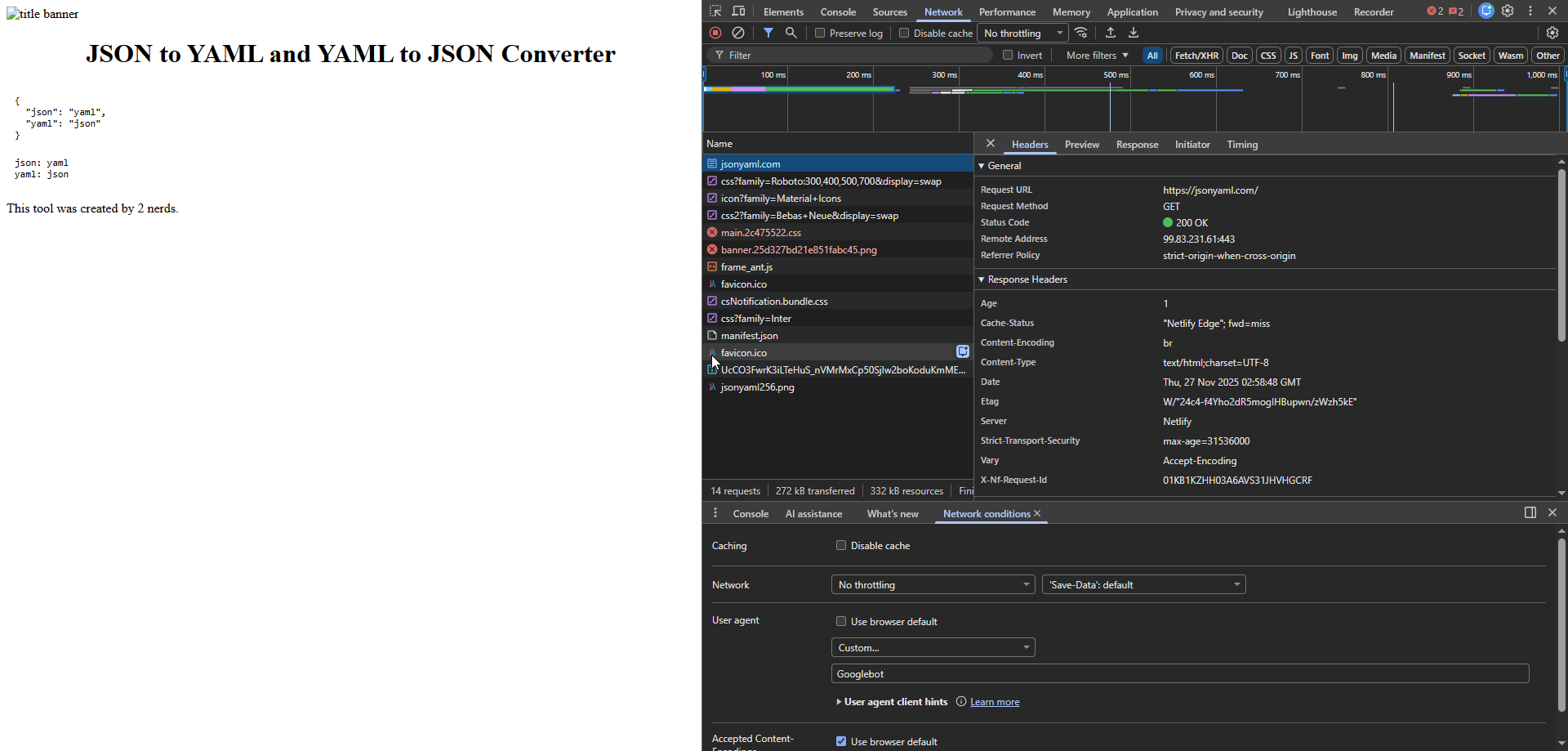
Here's the detailed comparison of the curl responses:
Normal User-Agent (curl/8.5.0)
curl -H "Accept-Encoding: br, gzip, deflate" -svo /dev/null --stderr - https://jsonyaml.com/ | egrep '^(<|>)'
Response headers:
> GET / HTTP/2
> Host: jsonyaml.com
> User-Agent: curl/8.5.0
> Accept: */*
> Accept-Encoding: br, gzip, deflate

< HTTP/2 200
< age: 6660
< cache-control: public,max-age=0,must-revalidate
< cache-status: "Netlify Edge"; hit
< content-encoding: br
< content-type: text/html; charset=utf-8
< date: Thu, 27 Nov 2025 03:26:52 GMT
< etag: "qam02log6y4hjl-df"
< server: Netlify
< strict-transport-security: max-age=31536000
< x-powered-by: Next.js
Googlebot User-Agent
curl -A "Googlebot" -H "Accept-Encoding: br, gzip, deflate" -svo /dev/null --stderr - https://jsonyaml.com/ | egrep '^(<|>)'
Response headers:
> GET / HTTP/2
> Host: jsonyaml.com
> User-Agent: Googlebot
> Accept: */*
> Accept-Encoding: br, gzip, deflate

< HTTP/2 200
< age: 0
< cache-status: "Netlify Edge"; fwd=miss
< content-encoding: br
< content-type: text/html;charset=UTF-8
< date: Thu, 27 Nov 2025 03:27:17 GMT
< etag: W/"24c4-f4Yho2dR5mogIHBupwn/zWzh5kE"
< server: Netlify
< strict-transport-security: max-age=31536000
Key differences:
- Normal request:
cache-status: "Netlify Edge"; hit(served from edge cache) - Googlebot request:
cache-status: "Netlify Edge"; fwd=miss(forwarded to prerender backend) - Different
etagvalues indicate different content - Googlebot response has
age: 0(fresh prerender), while normal request hasage: 6660(cached)
The fwd=miss header and the different HTML content confirmed that:
- The request was served by Netlify (not Cloudflare)
- Netlify was routing bots through a different rendering path
- The prerender cache was stale
This wasn't a DNS or Cloudflare issue, it was something inside Netlify's prerendering system.
Solutions I Tried
I tried several approaches to fix this, in chronological order:
1. Deploy Without Cache
I tried deploying without cache using Netlify's "Deploy without cache" option in the Deploys section. This didn't solve the issue, the old prerendered cache persisted.
2. Remove and Re-add Custom Domain
I removed the jsonyaml.com domain from the Netlify project and added it back, hoping to reset any cached state. This also didn't work.
3. Turn Off Prerendering
I disabled prerendering in Site → Build & deploy → Post processing → Prerendering. While this would eventually solve the problem, prerendered caches can take 24-48 hours to clear, and I wasn't sure if it would work immediately. For a production site, waiting that long wasn't ideal.
4. Create a New Netlify Project
Finally, I created a brand-new Netlify project, connected the same GitHub repository, and moved the jsonyaml.com domain to it. This solved the problem immediately.
Why this worked: My original project had been paused in the past and had months of stale prerendered snapshots. These prerendered HTML versions are not invalidated by new deploys, so even after deploying new builds, crawlers were still getting those old snapshots. By creating a new project, I started with zero cache, zero prerender history, and zero stale snapshots.
Important caveat: This approach did cause some downtime while I was testing the domain with the new project. If you're running a production site, you'll want to plan this carefully or consider disabling prerendering instead (though it may take 24-48 hours to fully clear).
The Root Cause Explained
After opening a support case with Netlify (after trying the solutions above), they confirmed what was happening:
When "Prerendering" is enabled, Netlify treats crawler user agents (like Googlebot) differently from humans:
- Humans get the normal cached HTML from Netlify Edge
- Crawlers get a separate prerendered HTML snapshot generated by Netlify's prerendering backend
This prerendered snapshot:
- Is cached separately from the edge cache
- Is stored for 24-48 hours
- Does NOT refresh when you deploy new updates
- Is only invalidated when prerendering is turned off or manually cleared
Prerendering is only applied for:
- Crawler user agents
- Requests coming through the site's custom domain (not the default Netlify subdomain)
So in my case:
jsonyaml.com→ prerendering triggered (old cache)jsonyaml.netlify.app→ always showed the correct site (no prerendering)
The fwd=miss header indicates a prerender request forwarded to the prerender backend, while hit means served from the normal edge cache.
What Developers Should Take Away
If you ever see:
- Different content for bots vs humans
"Netlify Edge"; fwd=missfor crawlers- Stale HTML when you curl with Googlebot
- Old content that never updates after deploys
- Confusing SEO reports or Google Search Console warnings
→ Check if prerendering is enabled in your Netlify settings.
Netlify's prerendering works well for purely static content, but for dynamic sites (Next.js, React, server-rendered apps), it can cause misleading behavior, especially when content is cached separately for crawlers.
Final Thoughts
This issue took hours of debugging because it looked like a DNS problem, Cloudflare was in front of Netlify, and the behavior only affected bots. But after understanding how Netlify's prerendering pipeline works, everything made sense.